 Team-Trak
Workforce Management in 2026: What Service Teams Need
 By Bob Fitzjohn8 min read
Explore workforce management trends for 2026 and learn how service teams can improve visit records, attendance and timesheets without adding unnecessary admin.
In this article
A client rings to ask whether your cleaner arrived. The cleaner says yes, but the visit record is spread across a paper sheet, a message and a timesheet you still need to reconcile. That’s where workforce management trends matter to a service business: not as another app to oversee, but as practical ways to connect scheduled work with reliable records.
Trend advice often centres on large employers and contact centres, while service teams face a different question: will a change make it easier to organise visits, confirm attendance and prepare accurate hours, or just add another step? This article looks at the shifts most relevant to teams working at client sites, how to weigh their trade-offs and how to test one improvement without changing everything at once.
Key Takeaways
- Prioritise workforce management trends that address a recurring problem in your own operation, such as missed check-ins or timesheets that need rebuilding.
- Compare connected workflows, mobile access, alerts and clearer visit records by the time they save and the admin they introduce.
- Keep paper or spreadsheets if they produce accurate records without excessive follow-up. Change the part of the process that repeatedly causes friction.
- Test one improvement at a time: map the current process, identify exceptions, trial a change and review whether the records are easier to use.
Table of Contents
What workforce management trends mean for service teams in 2026
Workforce management trends are changes in how businesses schedule work, record attendance and prepare timesheets. The wider workforce management principles include scheduling and time recording, but a service business should judge each change by how it performs on real jobs, not by how prominent it is in a corporate forecast.
Cleaning, trades, care and hospitality teams often move between client locations. Their daily questions are practical: does the rota show the right address, can staff see the job details, and can you resolve a missed or disputed visit without piecing together messages after the fact?
Why field teams need a different view of workforce change
Client-site work brings details that a broad forecast can miss. A cleaner needs the correct property and access information; a tradesperson may have a changing call-out; a care visit depends on the right person arriving at the right time. Useful visibility means a clear schedule and a reliable attendance record, not collecting someone’s location throughout the day.
Most visits run as planned. The management time tends to go on exceptions: a missed check-in, an arrival outside the expected window, or a timesheet that doesn’t match the visit record. A change is worth considering if it helps you resolve those cases without making every routine job harder.
Separate what you can observe in your own operation from what commentators predict for 2026. A new app or automated feature isn’t useful by itself. It should make a specific task easier or a record clearer. For a practical look at the everyday process, see this field workforce management guide.
Which workforce management trends deserve attention first?
The workforce management trends worth considering are the ones that reduce recurring friction in your business. Broad research, including World Economic Forum research on changes in work, can provide context, but it won’t identify which admin task is slowing down your field team. Start with the work your team repeats and the records you regularly have to repair.
- Connected workflows: Carrying a completed visit record into a timesheet can reduce duplicate entry. The trade-off is setup and a change to the routine; it may not be worthwhile if your current records are already accurate and quick to reconcile.
- Mobile access: Staff can see schedules and job details away from a desk. This can help when the team moves between sites, but may add little if everyone works from one location with a straightforward rota.
- Useful alerts: A prompt for a missed check-in can help you follow up while the job is still current. Too many alerts become noise, so decide which exceptions need action and who is responsible for responding.
- Clearer visit records: A consistent record can help resolve attendance questions and support accurate timesheets. If disputes are rare and paper records are easy to maintain, a new system may not justify the change.
A practical test for adopting new workforce tools
Choose one repeated admin task or uncertainty to address. Trace what information needs to move from the schedule to the attendance record, then into the timesheet or invoice. If a proposed tool makes you enter the same details again, it may shift the admin rather than remove it.
Test the new process on a recurring type of job. Check whether staff can follow the steps, whether the records answer the questions you actually get, and whether managers spend less time correcting entries or chasing updates. Before changing check-in routines, explain to staff what the record captures and why. The aim is to make visits easier to verify and support fair conversations, not to treat people as suspects. This workforce management selection checklist can help you assess the fit.

How to put workforce management trends into practice without adding admin
Don’t change every process at once. Pick one job that regularly creates extra work, such as confirming attendance or rebuilding hours, and test whether a clearer record would help. The goal is less chasing and more usable information, not another system to maintain.
- Map one process. Write down how a scheduled job currently becomes an attendance record and then a timesheet. Include who enters each detail and where it is stored.
- Identify the exceptions. Note when a missed check-in, late arrival or unclear finish time sends you back to messages or paper. Look for the point where the record first becomes incomplete.
- Test one change. Keep the trial small enough that staff can understand the new steps and give useful feedback. Make clear who follows up when a record needs attention.
- Review the records. Check whether you’re spending less time correcting entries and resolving questions. If the process adds steps without improving the information, adjust it or stop.
Paper and spreadsheets can still suit a team with straightforward jobs and reliable records. There’s no need to replace a process that works just to follow workforce management trends.
Where Team-Trak fits in a verified-visit workflow
For teams that need a clearer attendance record, Team-Trak connects the scheduled job to the visit and timesheet: staff tap to check in and out, a GPS snapshot is taken at those moments, a manager reviews exceptions, and approved visits become timesheets. GPS verification records attendance at arrival and departure; it doesn’t collect location between jobs. See how GPS visit verification works in practice.
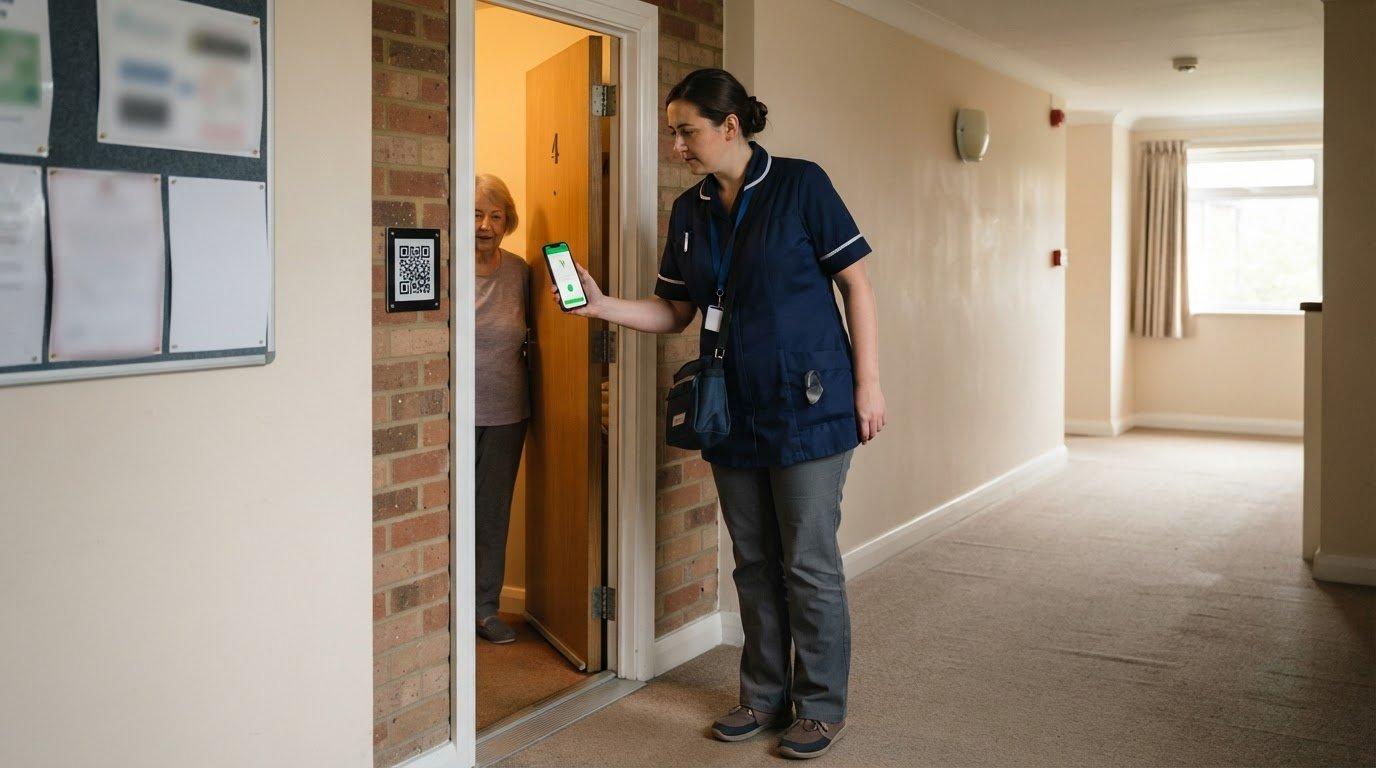
Optional QR check-ins can add an on-site step at selected locations. Temporary workers and subcontractors can check in through a browser link without an app or login. Explain the purpose and expectations to staff before introducing the process, then review whether the records make timesheets and follow-up easier for both managers and staff. Keep the changes that help and remove steps that don’t.
Make the next change a manageable one
You don’t need to predict every shift in workforce management trends to make a sound decision. Choose one recurring point of friction, agree with your team on what a better outcome looks like, then test a small change. If the records become clearer and the process is easier to run, keep it. If not, adjust without rebuilding the whole operation.
The goal isn’t to adopt more technology. It’s to spend less time untangling routine work and more time running the service your clients rely on. See whether Team-Trak fits the workflow you want to improve, then start your 7-day free trial, with no credit card needed.
Frequently Asked Questions
What is the difference between workforce management and workforce engagement management?
Workforce management focuses on organising and recording work, while workforce engagement management focuses on staff experience and involvement. For a field service business, workforce management trends might concern how rotas, attendance and timesheets fit together; engagement efforts might focus on communication, feedback or recognition. They can support each other, but fixing a scheduling gap is different from improving how staff feel about their work.
Does workforce management software replace payroll software?
No, workforce management software doesn’t necessarily replace payroll software. It can help prepare accurate hours and attendance records for your payroll process, but check what the specific platform handles. Team-Trak turns approved visits into timesheets and offers payroll exports on Growth and Professional plans. Payroll processing remains separate, so you may still need your existing payroll arrangements.
Can temporary workers use workforce management software without downloading an app?
Yes. Temporary workers can use Team-Trak through a browser link without downloading an app or logging in. Before a one-off shift, decide who will share the job details and how to communicate a changed start time. That gives the worker a clear point of contact and helps avoid last-minute confusion about the schedule or attendance record.
Disclaimer
The information provided in this article is for general informational purposes only and reflects the opinions and experiences of the author. While every effort has been made to ensure accuracy, Team Trak makes no guarantees regarding completeness
Written by
Bob Fitzjohn
Founder of Team-Trak and a British entrepreneur with nearly fifty years' experience building and managing businesses with large, flexible teams. Bob writes about scheduling, timesheets, verified attendance and the day-to-day realities of running a service business.