 Team-Trak
Workforce Management for Service Companies: A Practical Selection Checklist
 By Bob Fitzjohn6 min read
Stop the Friday scramble. This guide to workforce management for service companies offers a checklist to find a system that provides field visibility and pea...

In this article
Every workforce management demo looks good. The dashboard is tidy, the sample data is perfect, and nobody in the demo has ever had to check in from a basement with one bar of signal.
The differences only show once your own team is using it on real jobs. By then you've often paid for a year.
This checklist is for choosing workforce management for service companies before that point: the questions that separate tools that fit field work from tools that don't, and a one-week trial plan to test them on your own jobs.
If you'd rather see verified visits than read about them, you can try Team-Trak free for 7 days. No card needed.
The Short Answer
- For a service company, workforce management means scheduling staff at client sites, confirming they attended, and turning that into pay and invoices.
- Judge tools on four things: how staff use them, how good the visit records are, how much admin they remove, and what they cost as your team changes size.
- Test any shortlist on real jobs for a week before committing. Demos don't show the problems that matter.
- Avoid tools built for office shift work or all-day tracking. Neither fits staff working across client sites.
Table of Contents
What Workforce Management Means for Service Companies
In large organisations, workforce management covers forecasting, shift planning and HR. For a service company with staff at client sites, it's narrower and more practical: who goes where, did they arrive, how long did they stay, and what do we pay and bill?
That difference matters when choosing a tool. Software built for shops and offices assumes one workplace and a fixed clock. Software built for fleets tracks vehicles all day. Neither answers the questions a service company actually asks.
The Selection Checklist
| Question | Why it matters | Red flag |
|---|---|---|
| Can staff check in within seconds? | Slow check-ins get skipped or done later | Several screens before you can start a job |
| Does it work on staff's own phones? | No devices to buy or hand out | Company hardware required |
| Is location checked only at check-in and check-out? | Staff accept it; you get the proof you need | Background location running all day |
| Can you set a check-in radius per site? | A flat and an office block need different settings | One setting for every site |
| Are unusual check-ins flagged, not refused? | Work still gets recorded when a site is awkward | Check-ins blocked outside a boundary |
| Will you hear about no-shows on the day? | Time to send cover before the client notices | Reports only, the next day |
| Do timesheets build from visits? | No adding up or retyping | Staff still type their hours |
| Do hours reach invoices and your accounts? | Paid hours and billed hours stay in step | Manual export into a spreadsheet first |
| How do temps and subcontractors check in? | Cover work stays on the record | Every one-off worker needs a full account |
| What does a quiet month cost? | Casual and seasonal staff come and go | Paying for every name on the list, working or not |
The third and fifth rows are where most tools quietly differ. A GPS check at check-in and check-out gives you proof of attendance without following anyone, and flagging an awkward check-in for review keeps the work recorded instead of losing it.
A One-Week Trial Plan
| When | What to test |
|---|---|
| Day 1 | Set up five real sites and two willing staff. Note how long setup takes. |
| Days 2–3 | Run real jobs. Ask staff how long check-ins take and what annoyed them. |
| Day 4 | Change a job and move a slot. Check the change reached the right person. |
| Day 5 | Look at the flagged visits. Were the flags useful, or noise from badly set-up sites? |
| End of week | Produce the timesheets and one invoice. Compare them with what you'd have done by hand. |
If the tool passes that week with your own staff and sites, it will probably pass the next fifty.
Common Selection Mistakes
- Choosing on the admin dashboard alone. Staff decide whether it works. Try their side first.
- Buying features you won't use. Quoting, stock and forecasting modules add cost and setup time if your problem is attendance and timesheets.
- Skipping the trial on real sites. Demo data never has a building with three entrances.
- Ignoring how staff will hear about it. Lead with what's true: it ends their timesheets and protects their hours.
Where Team-Trak Fits
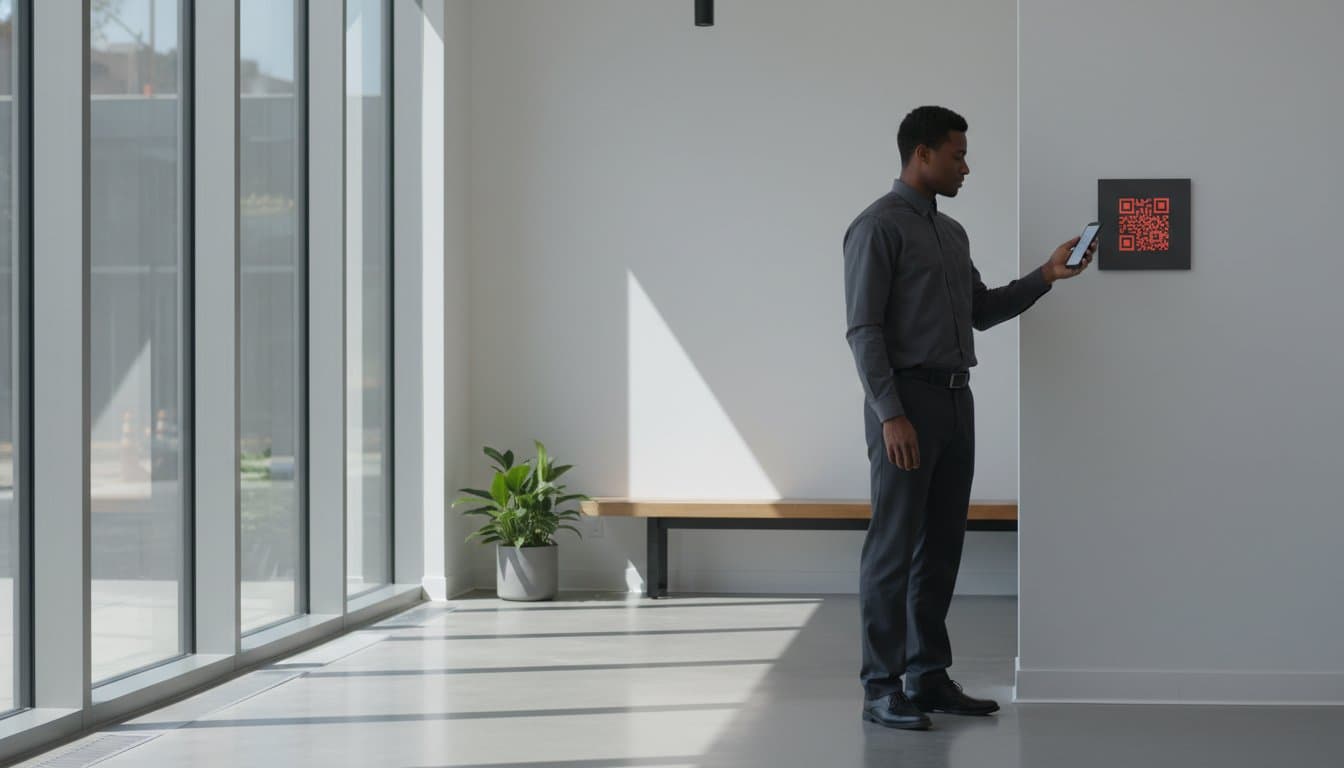
Team-Trak is built to pass that checklist for teams working at client sites. Staff check in from the app or their phone's browser, with one GPS reading at check-in and one at check-out. Each site has its own radius; check-ins outside it are flagged for review rather than refused. Late and missed check-ins trigger alerts on every plan, and temps clock in from a link with no app.
Approved visits become timesheets, and on Professional, client invoices; QuickBooks sync and Xero and Zoho exports are on Growth and above. The 7-day trial needs no card, setup takes under 10 minutes, and plans start at $19 a month, billed only for staff who checked in that month.
Frequently Asked Questions
What is workforce management for service companies?
Workforce management for service companies means scheduling staff at client sites, confirming when they arrive and leave, and turning those visits into timesheets, payroll and invoices, rather than the forecasting and HR tools larger organisations use.
Is using GPS check-ins legal?
Generally, yes, for legitimate purposes like confirming attendance, as long as you're open about it. Tell staff in writing what's recorded and when, check location only at check-in and check-out, and check the rules where you operate with an adviser.
How do I stop staff forgetting to check in?
Make it quick, and make it the thing that builds their timesheet. When there's no other way to record hours, the habit forms fast. Alerts for late check-ins also prompt a reminder on the day.
Test It on Your Own Jobs
Choosing workforce management for service companies comes down to a handful of questions about how staff use it, how good the visit records are and how much admin it removes. Use the checklist to build a shortlist, then test it for a week on your own sites, with your own team.
Start your 7-day free trial. No credit card needed, and your first practice check-in takes under a minute.
Disclaimer
The information provided in this article is for general informational purposes only and reflects the opinions and experiences of the author. While every effort has been made to ensure accuracy, Team-Trak makes no guarantees regarding completeness or accuracy. For legal, payroll or compliance questions, please consult a qualified adviser.
Written by
Bob Fitzjohn
Founder of Team-Trak and a British entrepreneur with nearly fifty years' experience building and managing businesses with large, flexible teams. Bob writes about scheduling, timesheets, verified attendance and the day-to-day realities of running a service business.