
Timesheet App with GPS Verification: Verify Visits, Not People
 By Bob Fitzjohn8 min read
Use a timesheet app with gps verification to confirm visits without logging daily movements. Turn scheduled jobs into accurate pay and clear client records.

In this article
A client questions a visit. Your team member says they arrived, but the timesheet was filled in later and the confirmation is buried in a chat. You need a clear record, not another round of guesswork. A timesheet app with gps verification can record where a visit was checked in and out without collecting location continuously.
It’s reasonable for staff to be wary of location features that feel intrusive. The useful distinction is whether GPS verifies a specific visit or records someone’s movements throughout the day. This article explains what to look for, how verified check-ins can feed into timesheets, and how to review exceptions without manually checking every visit. You’ll have a practical way to weigh accuracy, staff trust and admin.
Key Takeaways
- A GPS reading at check-in and check-out can support an attendance record, but it doesn’t show what work was completed.
- Paper, spreadsheets, messages, basic time clocks and a timesheet app with gps verification each suit different workflows.
- Scheduled jobs can become visit records, with exceptions reviewed before approved visits generate timesheets.
- Focus manager attention on unusual records, such as a missed check-in or a location outside the expected radius.
Table of Contents
What a Timesheet App with GPS Verification Actually Verifies
For a scheduled job, GPS verification means recording a location reading when a team member checks in and checks out. The record pairs those readings with the visit times, then compares the location with the job site’s check-in radius. This can help establish whether the visit began and ended at the expected site. It supports an attendance record, but it doesn’t show what work was completed or determine how every minute should be paid.
A check-in radius is a virtual boundary around a job site. It helps distinguish a check-in at the scheduled location from one elsewhere. In Team-Trak, GPS is recorded only at check-in and check-out, not continuously. That gives the business a point-in-time attendance record without recording staff location between visits.
What does the GPS record tell a service-business owner?
If a client questions whether a cleaner arrived, a timestamp paired with a job-site location gives you something specific to review. A clear arrival and departure record can support a conversation with both the client and the team member, rather than leaving everyone to reconstruct the visit from memory or messages. The GPS verification feature links those readings to the scheduled job.
Most visits go as planned. The admin tends to gather around the exceptions: a late check-in, a missed check-out or a location outside the expected radius. Those records may need a manager’s attention, while routine visits can proceed without treating every team member as a problem. A location exception is a reason to review the record, not by itself proof of what happened. The useful question is whether the scheduled visit has a clear record that can support an accurate timesheet.
Compare Timesheet Options Without Adding Unnecessary Admin
The right system gives you records you can use without creating another job at the end of the week. Compare options by how they capture attendance, help answer client questions and prepare hours for payroll.
| Option | Strength | Limitation |
|---|---|---|
| Paper sheets | Cheap and familiar. | Can be filled in later, misplaced or slow to total. |
| Spreadsheets | Flexible for organising hours. | Manual entry can introduce errors and doesn’t verify a visit. |
| Messages | Quick for reporting a delay or arrival. | Details get buried, and a message alone may not confirm the job-site location. |
| Basic time clocks | Record when someone clocks in or out. | May not show whether the check-in happened at the scheduled site. |
| GPS-verified timesheet apps | Can connect scheduled work with visit-based location records and timesheets. | Setup and exception handling should reduce admin, not add steps. |
You may not need software if your current process is reliable, easy to reconcile and gives clients the evidence they need. If your team operates in the US, the Department of Labor’s FLSA recordkeeping requirements include keeping accurate records of hours worked by non-exempt staff. Dependable time records matter beyond settling questions about a particular visit.
Which approach fits your team’s work and records?
Consider how far apart job sites are, whether clients ask for attendance evidence, how hours reach payroll and how much time you spend reconciling them. Set the check-in radius for each site rather than assuming one setting will suit every job. A radius that works for a small property may create avoidable exceptions at a larger site with several entrances. The guide to choosing a GPS time-clock app can help you weigh these factors. If visit-based verification fits your workflow, explore how Team-Trak supports service teams.
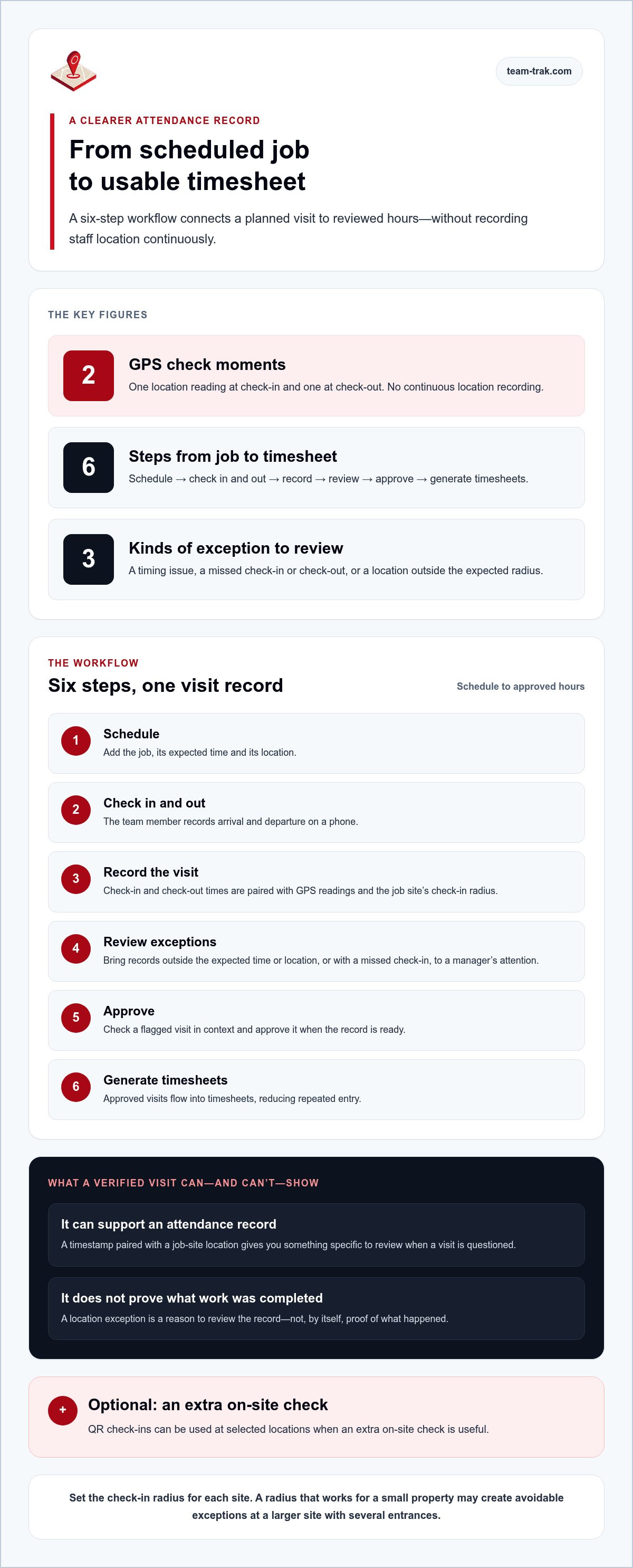
How GPS-Verified Visits Become Timesheets in Team-Trak
A GPS-verified timesheet app should connect a planned job to an attendance record and then to usable hours, without making you rebuild the visit from messages. In Team-Trak, the workflow runs from schedule to reviewed and approved timesheet. GPS is recorded only when staff check in and check out, not continuously. QR check-ins are optional and can be used at selected locations where an extra on-site check is useful.
- Schedule: Add the job and its expected time and location.
- Check in and out: The team member records their arrival and departure on a phone.
- Record the visit: The check-in and check-out times, with GPS readings, form a visit record.
- Review exceptions: Records outside the expected time or location, or with a missed check-in, can be brought to a manager’s attention.
- Approve: Review any flagged visit and approve it when the record is ready.
- Generate timesheets: Approved visits flow into timesheets, reducing repeated entry from one system into another.
What happens when a visit needs manager review?
A late arrival, missed check-in or out-of-range location is an exception to review, not a reason to inspect every routine visit manually. The manager can focus on the record that needs attention, check it in context and approve it when appropriate. Approved visit records generate timesheets automatically. That link between attendance and recorded hours is the practical value of automated timesheets for service teams.
If you want to see how the workflow feels in practice, you can try Team-Trak free for seven days. No credit card is required.
Put a Clearer Visit Record Into Practice
Choose a process your team can follow on a busy day and keep using consistently. Start by finding where attendance details get lost between scheduling, the visit record and timesheet preparation. Then decide which hand-off you want to make easier first.
Try the process with one practical workflow and check whether the resulting records are easy for managers and staff to use. If a site produces frequent location exceptions, review its radius and entrances before adding more manual checks. Clear, consistent steps make a new process easier to adopt and give you a better basis for deciding what to improve next.
Verified check-ins give you a clearer record of attendance, while exception reviews keep attention on the visits that need it. Approved visits can then flow into timesheets without rebuilding the record from messages. Start your 7-day free trial. No credit card needed, and your first practice check-in takes under a minute.
Frequently Asked Questions
Does a timesheet app with GPS verification collect location continuously?
No. Team-Trak records a GPS reading only when a team member checks in and checks out. If you’re introducing this timesheet app with GPS verification, explain to staff what the location record is used for, who may review it and how exceptions are handled. Setting those expectations before rollout gives team members a clear understanding of the process.
Can temporary workers check in without installing a timesheet app?
Yes. Temporary workers and contractors can check in using a unique schedule link in a browser, without installing the app or creating a login. For a smooth handover, give the cover worker the correct job assignment and schedule link before the visit. That helps avoid searching through messages later to work out which job an attendance record belongs to.
What happens if a GPS check-in is outside the job site's expected location?
The record can be flagged for manager review. Before deciding how to resolve it, check that the visit was assigned to the correct job and consider the circumstances with the team member. A location exception is a prompt to look into the record, not a complete explanation of what happened. Apply the same fair review process across the team.
Does Team-Trak connect GPS-verified timesheets to QuickBooks or Xero?
Yes. QuickBooks and Xero integrations are available on Growth and Professional, not Starter. If you need invoice creation as well as the accounting connection, invoicing is available only on Professional. Match the plan to the hand-off your business needs so you’re comparing the software cost with the workflow it supports.
Disclaimer
The information provided in this article is for general informational purposes only and reflects the opinions and experiences of the author. While every effort has been made to ensure accuracy, Team Trak makes no guarantees regarding completeness
Written by
Bob Fitzjohn
Founder of Team-Trak and serial entrepreneur with over 50 years’ experience building and scaling service businesses. Bob writes about workforce management, operational efficiency, automation, and the realities of running small businesses in today’s environment.


