
You’re sitting at your desk late on a Friday, staring at a stack of crumpled timesheets while a client email pings your phone to dispute last week’s billable hours. It’s a frustrating gap that costs you hours of administrative time and, occasionally, your professional reputation. Most founders start their business because they’re good at the work, not because they love chasing paper trails. Finding the right invoicing software for service businesses shouldn’t feel like another full-time job. You need a system that captures what actually happens in the field without the manual data entry errors that lead to awkward client phone calls.
We agree that your time is better spent growing your team than reconciling messy spreadsheets. This guide will show you how to bridge the gap between field operations and billing to ensure you get paid faster with total accountability. Research shows that automation can save you 3 to 4 hours every month on administrative tasks. We’ll look at how to move from disorganized admin to professional, accurate invoices sent the moment a job is done. Reduce friction. Reclaim control. You’ll discover how to provide clear proof of service that protects your business and gives you back your evenings.
Key Takeaways
- Stop the “Friday afternoon scramble” by learning how to bridge the gap between field notes, text messages, and your final billing records.
- Identify the five essential features that help you transition from guessing billable hours to knowing exactly what happened on every job site.
- Use our human-first framework to evaluate invoicing software for service businesses, focusing on whether your team will actually use the mobile app in the field.
- Discover how to protect your reputation and eliminate client disputes by providing clear, undeniable proof of service with every invoice you send.
Beyond the Bill: Why Service Businesses Need More Than Standard Invoicing Apps
Most founders think invoicing is just about getting a PDF to a client. If you run a cleaning crew, a construction site, or an HVAC team, you know better. Invoicing is the final step in a long, often messy chain of events. For you, invoicing software for service businesses acts as a bridge between what actually happened on a job site and what ends up on your financial records.
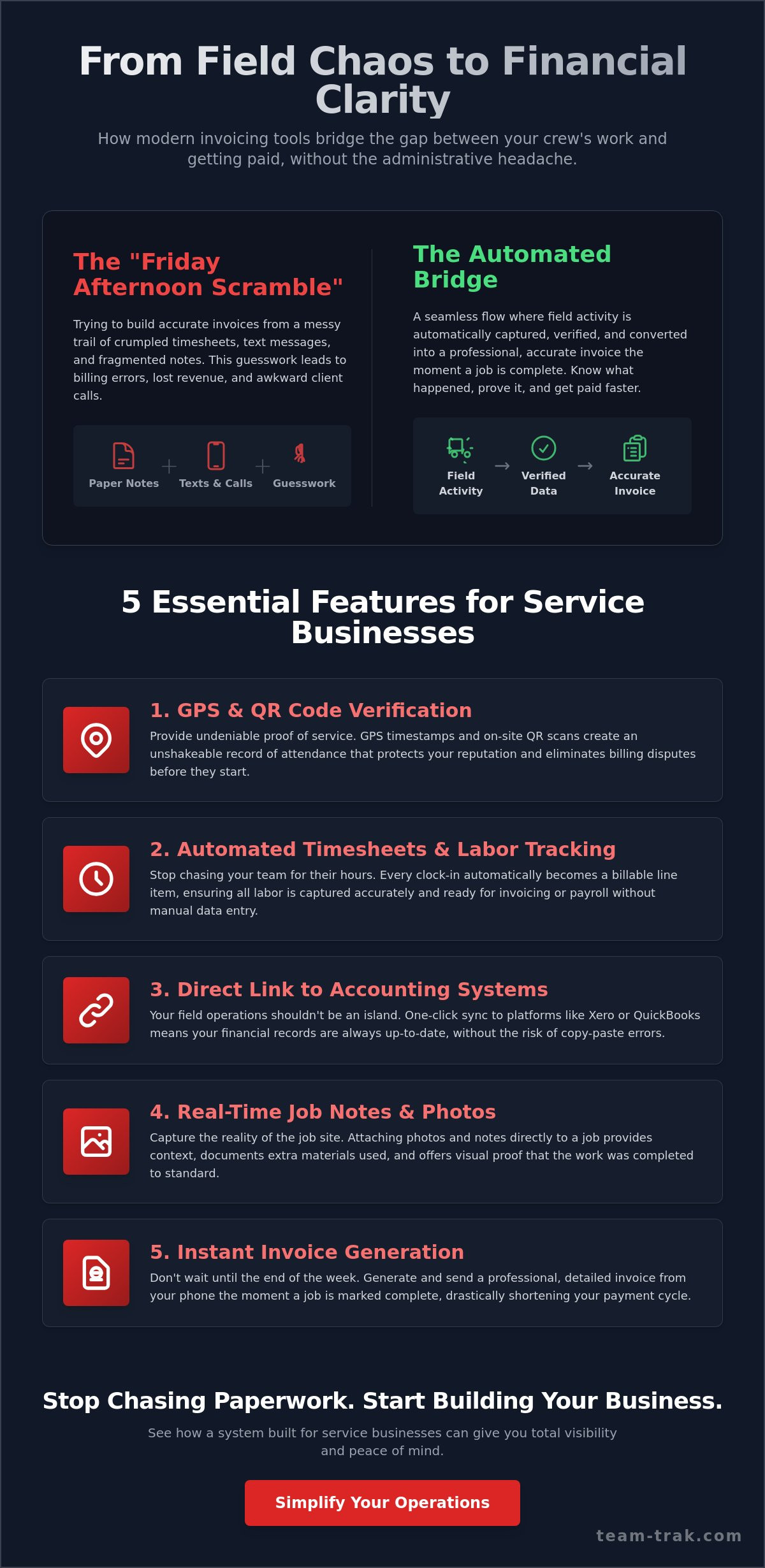
Without this bridge, you’re stuck in the “Friday afternoon scramble.” This is that familiar, exhausting ritual where you sit down with a pile of paper notes, scroll through endless text messages, and try to piece together who was where and for how long. It’s guesswork disguised as bookkeeping. We define operational visibility as the ability to see work progress without making five phone calls to your site lead. In labor-intensive industries, this isn’t just a convenience; it’s the foundation of accountability. If you’ve ever wondered whether the tools designed to provide that visibility are worth the investment, our guide on field service tracking software and the myths of operational visibility addresses the most common concerns founders have before making the switch.
The High Cost of Manual Reconciliations
Chasing staff for their locations and hours is an “admin tax” that most owners just accept. It’s a quiet drain on your energy. When you rely on memory or scribbled notes, manual errors are inevitable. These mistakes often lead to “under-billing,” where billable hours or extra materials simply vanish because they weren’t recorded at the moment of service. You can see how these small leaks turn into a flood of lost revenue by reviewing the hidden cost of manual time billing for small firms. Every hour you spend untangling a timesheet is an hour you aren’t spending on growth.
Why General Financial Apps Often Fall Short
Most standard accounting tools are built for desks, not driveways. While the history of electronic invoicing has focused on moving paper to digital formats, it often misses the “boots on the ground” reality. There is a massive difference between billing for time and billing for verified service. General apps tell you the math is right, but they can’t prove the work was done. Service founders need a tool that speaks the language of field operations. It should focus on visibility and simplified operations so you can focus on the next job, not the last one’s paperwork.
5 Essential Features of Invoicing Software for Field Operations
Most general invoicing tools focus strictly on the transaction. They assume you already have your data organized and ready to go. For a service founder, the real struggle is gathering that data from the field without errors or delays. The right invoicing software for service businesses doesn’t just send a bill; it builds that bill from the ground up using real-time operational data. This transition moves your office from a state of constant questioning to a state of absolute certainty. When you know exactly what happened on a job site, you can send invoices with confidence. This leads to faster client payments and significantly fewer queries from skeptical customers. Establishing a reliable system for invoice tracking for service businesses is what separates founders who chase payments from those who receive them on time.
GPS and QR Verification: Building Trust into Every Invoice
Trust is your most valuable asset in a labor-intensive industry. Using GPS verification provides an unshakeable record of attendance that protects your business reputation. When you combine this with QR code check-ins, you ensure staff are exactly where they need to be, when they say they are. This isn’t about micromanagement. It’s about providing “Proof of Work” that you can stand behind. There’s a clear psychological benefit here: clients pay faster when they see a verified timestamp attached to their bill. It removes the doubt that leads to payment delays.
Automated Timesheets and Labor Tracking
Manual data entry is where profit often disappears. By utilizing automated timesheets, you eliminate the need for your team to remember their hours at the end of a long shift. Every staff clock-in becomes a potential line item on a customer invoice. This direct link ensures that labor costs are captured accurately and instantly. Having billing-ready data at your fingertips also reduces the friction of payroll, making your administrative life much calmer and more predictable. If you want to go deeper on connecting these two processes, our guide on building a seamless time tracking and invoicing workflow for field teams walks you through the entire setup step by step.
Direct Link to Online Accounting Systems
Your field operations shouldn’t live on an island separate from your finances. A “one-click” sync to platforms like Xero or QuickBooks is essential to avoid the “double-entry” trap. This trap wastes hours of admin time each week and introduces unnecessary errors. When evaluating your options, it’s helpful to consult the SBA’s software evaluation checklist to ensure your chosen tool fits your long-term business needs. For a deeper look at the technical side, read our practical guide to linking field ops to accounting. If you want to see how these features work together to simplify your day, you can see the platform in action here.
Evaluation Framework: How to Choose Your Next Invoicing Solution
Choosing the right invoicing software for service businesses isn’t about chasing the latest tech trends or shiny dashboards. It’s about operational realism. As a practical founder, you need to know that a new tool will actually lighten the load for you and your crew, rather than becoming another chore to manage. Look for a solution that promises peace of mind and visibility over over-engineered systems. If a piece of software requires a week of training just to send a basic bill, it isn’t the right fit for a busy service team. The goal is to remove administrative hurdles, not create new ones.
Assessing Your Team’s Technical Comfort Level
Your office staff might handle a dashboard easily, but your field team is on the move and often working in tough conditions. If the mobile staff app is clunky, they simply won’t use it. We suggest the “three-second test.” Can a worker check in or out in under three seconds? If it takes longer, or requires navigating five different menus, you’ll face constant pushback. This is especially vital for trades and field service companies where workers are remote. Introducing new tools works best when the benefit is immediate, like replacing messy paper logs with a simple tap on a phone.
Hidden Costs: Transaction Fees vs. Operational Value
Don’t get distracted by the monthly subscription price alone. While a $20 or $30 monthly plan sounds cheap, the real cost often hides in transaction fees and manual workarounds. Common rates like 2.9% plus $0.60 for credit cards or 1% for ACH payments are standard across many platforms, but the biggest hidden cost is the “cost of time” spent in the office. A “free” plan that forces you to manually reconcile data is far more expensive than a paid tool that automates the process. When evaluating your options, it’s helpful to consult the SBA’s software evaluation checklist to ensure the tool fits your long-term needs. Focus on the value of reclaimed hours.
If you’re ready to stop the admin scramble and see how a field-first tool fits your team, get in touch with us here.
Reducing Client Disputes with Integrated Service Tracking
The most draining part of being a founder is often the awkward phone call where a client questions your billable hours. “I don’t think they were here that long” or “I’m not sure what actually got done” are phrases that can stall your cash flow and damage your professional relationships. In the trades and field service sector, work often happens when the client isn’t looking. Without data, it is your word against theirs. This is why the right invoicing software for service businesses acts as a quiet protector of your reputation. It turns invisible field work into an undeniable digital record that justifies every cent on your bill. Many owners avoid making this change because they fear it signals distrust of their team, but as we explore in our breakdown of common misconceptions about field service tracking software, operational visibility is about protecting everyone — not policing them.
The Power of the Digital Audit Trail
Transparency is the fastest way to build trust. When your invoice includes granular details from task management checklists, you aren’t just asking for money; you’re providing a report of completed work. If a client asks “where were they on Tuesday?”, you can resolve the question in seconds rather than days by referencing GPS verification data. This digital audit trail moves you from defensive billing to authoritative, proof-based invoicing. You no longer have to “remember” what happened because the system has already captured the reality of the job site for you. A structured approach to invoice tracking that gives service business founders operational clarity means every completed job is accounted for before the client even receives their bill.
Regaining Your Time and Sanity
There is a deep emotional relief that comes when you know your invoicing is handled the moment a team member checks out of a job. You don’t have to spend your evenings or weekends untangling messy spreadsheets or cross-referencing text messages. By using invoicing software for service businesses that connects directly to field operations, you remove the administrative weight from your shoulders. You can finally stop being an office clerk and start being a founder again. Focus on your growth. Focus on your team. Leave the manual reconciliation behind. If you are ready to stop the admin struggle, you can simplify your operations and regain control with Team-Trak.
Reclaiming Your Time and Operational Control
Running a service business is demanding enough without the added weight of manual administrative cycles. You’ve seen how the right invoicing software for service businesses does more than just send a bill. It provides a clear bridge between the hard work your team does in the field and the financial records you need to grow. By moving away from the “Friday scramble” and toward a system built on GPS-verified attendance tracking, you replace guesswork with certainty. This isn’t just about software; it’s about protecting your reputation and ensuring your team’s efforts are fully accounted for.
We designed this platform as experienced operators who understand that your time is your most valuable asset. With seamless integration into your existing accounting systems, you can eliminate double-entry and focus on your next big project. You deserve a solution that works as hard as you do, providing the visibility you need to lead with confidence. It is time to move beyond the clutter of paper logs and disputed hours. Start simplifying your business invoicing with Team-Trak today. You have built a great business; now give yourself the tools to run it with ease and precision.
Frequently Asked Questions
Is invoicing software different from accounting software?
Yes. Invoicing software for service businesses handles the operational side of your day, such as capturing field data, timesheets, and proof of work. Accounting software like Xero or QuickBooks manages the financial back end, including tax filings and general ledgers. While they work together, the invoicing tool is what your team uses on the job site to ensure every billable minute is recorded accurately.
How does GPS verification actually work on an invoice?
GPS verification captures a precise location and timestamp the moment a staff member checks in or out through the mobile app. This data is attached to the digital record of the job. When you generate an invoice, you have unshakeable proof of attendance. It allows you to resolve questions about billable hours with facts rather than memory.
Can my staff use the invoicing app on their own mobile phones?
Staff use their own devices to check in and out using the mobile staff app. It is designed to be lightweight and intuitive, allowing workers to record their attendance or complete task checklists in seconds. This removes the need for expensive hardware or manual paper logs. It makes it easier for your team to stay accountable without added stress.
What happens if a client disputes the hours on an automated invoice?
You can immediately pull up the digital audit trail for that specific job. Instead of a verbal argument, you provide a report showing GPS timestamps, QR code check-ins, and completed task checklists. This evidence moves the conversation from a dispute to a professional review of verified facts. It protects your reputation and ensures you get paid for every hour worked.
Does this software work for small teams of under five people?
It is actually most effective for small teams where the founder is still heavily involved in administration. When you have fewer than five people, every lost billable hour has a bigger impact on your bottom line. Automating your invoicing ensures that even a small operation maintains the professional standards and accountability of a much larger firm.
Is it difficult to link my current accounting system to a new invoicing app?
Linking your systems is a straightforward process that usually takes just a few minutes. Most modern invoicing software for service businesses offers direct integration with platforms like Xero or QuickBooks. Once connected, your verified field data syncs automatically. This eliminates the double-entry trap and ensures your financial records are always accurate without extra manual work.

Disclaimer
The information provided in this article is for general informational purposes only and reflects the opinions and experiences of the author. While every effort has been made to ensure accuracy, Team Trak makes no guarantees regarding completeness