
Beyond the Paper Trail: Why Digital Checklists are Essential
Most business owners don’t realise how much time disappears every week chasing paperwork until they stop doing it manually. The coffee-stained, barely legible paper checklist is a familiar sight, but its true cost is hidden in lost details, delayed invoices, and the constant, low-level stress of not knowing if a job was done right.
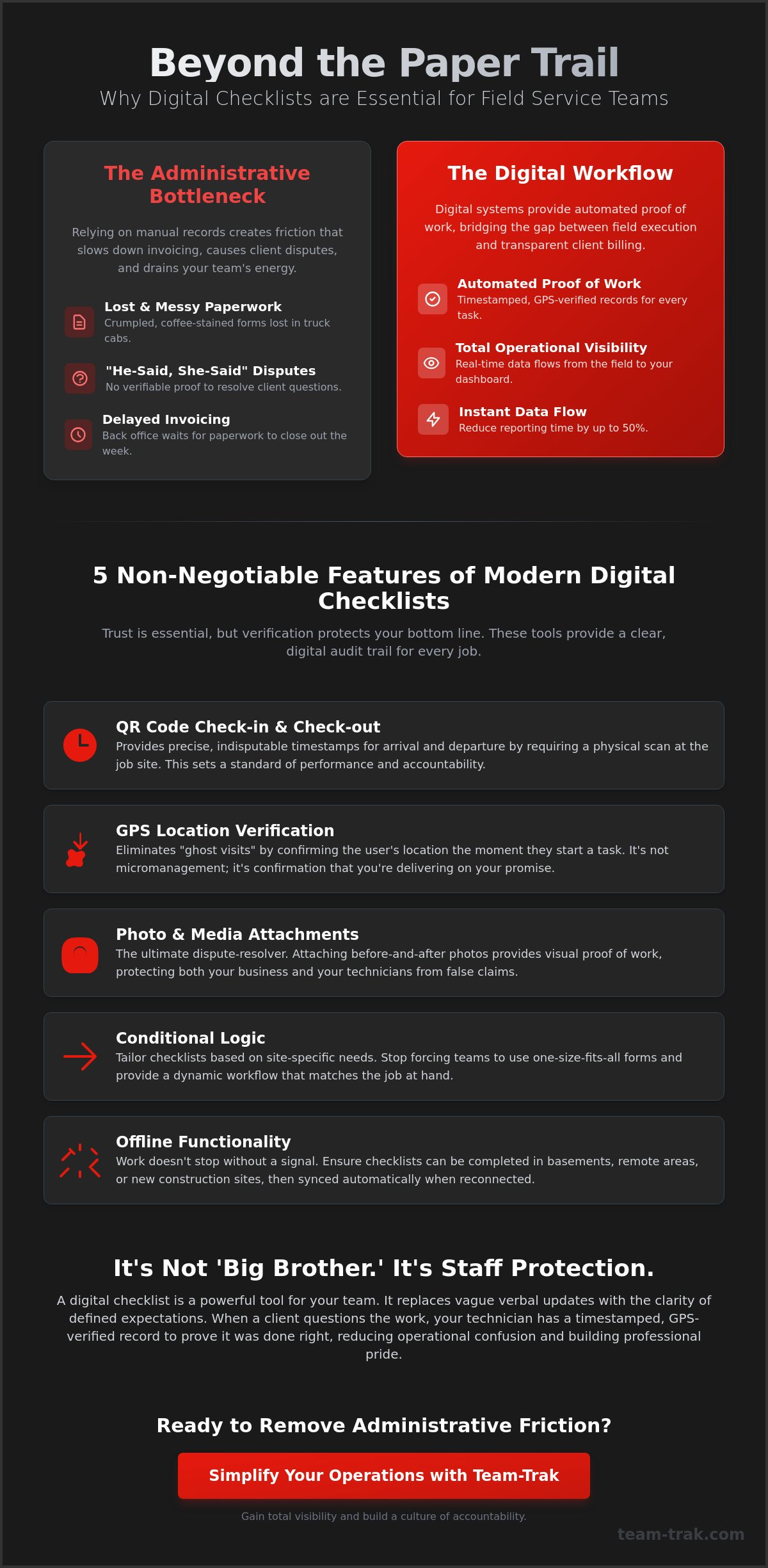
A digital checklist isn’t just a list on a screen. It’s a simple, clear record of what was done, where it was done, and when. It’s a timestamped, GPS-located proof of work that quietly removes the friction of manual data entry and follow-up calls. This isn’t about micromanagement; it’s about moving from simply trusting your team to giving them the tools to prove their great work. (the purpose of a checklist)
The Death of the Friday Afternoon Scramble
Every service business owner knows the feeling. It’s 4 PM on a Friday, and you’re trying to piece together who did what, where they were, and for how long. Manual reporting creates an administrative bottleneck that puts immense pressure on your office staff and delays billing.
When job information arrives in real-time as tasks are completed, that pressure vanishes. Small issues, like a missed step or a forgotten task, are seen and corrected instantly, long before they have a chance to become a client-facing problem.
Building a Culture of Clarity
Good staff shouldn’t have to rely on memory or verbal updates to prove they did their job properly. Digital checklists should be seen as a tool for their protection, not just management oversight. When an unfair client complaint arises, you have a clear, indisputable record of the work performed, complete with photos and timestamps, to defend your team.
This replaces any “Big Brother” fears with the simple clarity of defined expectations. Everyone knows what a completed job looks like, and technicians have the power to document their professionalism at every step.
5 Non-Negotiable Features of Modern Digital Checklists
When you move away from paper, not all digital solutions are created equal. A modern system should be built for the reality of field operations, with features that solve real-world problems.
- GPS Location Verification: Confirms your team was exactly where they needed to be when the work was done.
- QR Code Check-in/Out: Provides the clearest, simplest way to log exact start and end times on-site.
- Photo and Media Attachments: Offers visual proof that resolves disputes before they even begin.
- Conditional Logic: The checklist adapts to the job, so technicians only see the steps they need, reducing confusion.
- Offline Functionality: Because work doesn’t stop when the mobile signal does, especially in basements or remote locations.
The Power of Location and Time Verification
Knowing your technician was on-site is fundamental. GPS verification eliminates “ghost” visits and provides a simple layer of confirmation for both you and your client. Paired with QR codes placed at the job site, you get an indisputable record of when your team arrived and when they left, ending any debate over time on-site.
This isn’t about catching people out; it’s about creating a clear, fair system. When start and end times are logged automatically, it has a positive psychological impact, encouraging punctuality and focus.
Mandatory Photo Evidence for Compliance
A “before and after” photo is the ultimate dispute-resolver. Whether it’s proving a site was clean upon departure or documenting pre-existing damage, visual evidence is irrefutable. It standardises quality across your entire team, ensuring that a “job well done” means the same thing to a new hire as it does to a seasoned veteran.
Capturing a client’s signature directly on a device closes the loop, confirming satisfaction and formally completing the work order on the spot.
Industry-Specific Frameworks for Field Service Checklists
A checklist for a construction site handover looks very different from one for a holiday rental cleaning. A one-size-fits-all approach inevitably fails because it doesn’t respect the unique operational rhythm of your business. The key is to build frameworks that match the specific tasks and compliance needs of your industry.
Your checklists should be living documents. Field feedback and client requests provide the best insights for iterating and improving your processes over time.
Construction and Trades: Safety and Compliance
For construction teams and trades, the focus is often on safety and materials. Checklists can be used to ensure daily H&S requirements are met, equipment inspections are completed, and material usage is accurately logged for precise invoicing. A digital sign-off for a site handover creates a clean, documented transfer of responsibility.
Cleaning and Short-Term Rentals: Quality Assurance
In the cleaning and short-term rental industry, consistency is everything. A single missed detail can lead to a negative review. Room-by-room checklists ensure every task is completed to the same high standard, every single time. Linking checklist completion directly to timesheets also ensures payroll is always accurate, reflecting the exact work performed.
Reducing Administrative Friction: From Checklist to Invoice
The real power of a digital checklist is how it connects field activity to back-office administration. When a job is marked complete, the data shouldn’t just sit there; it should automatically drive the next steps in your workflow, from payroll to invoicing.
This allows you to generate precise, indisputable invoices that already have the proof of work built-in. By providing clients with all the necessary documentation upfront, you drastically reduce questions and shorten the time it takes to get paid.
Connecting Field Operations to the Back Office
Simplifying your operation starts with data flow. When job data from a checklist feeds directly into automated timesheets, you eliminate hours of manual data entry. More importantly, you remove the possibility of human error that comes with transcribing notes or deciphering handwriting. The system quietly ensures the information passed to your accounting software is accurate.
Empowering Clients with Portal Access
Transparency is the foundation of long-term client trust. Giving customers access to a portal where they can see completed checklists, photos, and job notes in real-time removes any sense of doubt. They don’t have to call you for an update; they can see the proof of service for themselves.
This level of visibility not only improves retention but also positions your business as a professional, trustworthy partner. For more on this, see our guide to client portal software.
Frequently Asked Questions
Do digital checklists work without an internet connection?
Yes, a well-designed system allows technicians to complete checklists and capture photos offline. The data is stored securely on the device and automatically syncs with the main system as soon as a connection is re-established.
Can I customize checklists for different types of jobs?
Absolutely. You should be able to create unlimited templates for different services, clients, or sites. The best systems also use conditional logic, which shows or hides certain questions based on previous answers, keeping the checklist relevant and simple for the technician.
How do digital checklists help with health and safety compliance?
By making safety checks a mandatory, non-skippable part of a job’s workflow. You can require technicians to confirm they have the correct PPE, have inspected their equipment, and are aware of on-site hazards, with everything captured in a timestamped audit trail.
Will using digital checklists slow down my field technicians?
Initially, there may be a small learning curve, but it quickly becomes faster than paper. It eliminates the need to carry, fill out, and return paper forms, and it removes the back-and-forth calls to the office for clarification. It streamlines their entire workflow, allowing them to focus on the job itself.
How does GPS verification work with a digital checklist?
When a technician completes and submits a checklist, the system automatically captures the GPS coordinates of their device at that moment. This location is attached to the checklist record, confirming the work was completed at the correct job site.
Can I attach photos and signatures to a digital checklist?
Yes. Technicians can use their smartphone or tablet camera to take photos directly within the checklist, and they can capture a client’s signature on the screen to confirm job completion or satisfaction.

Disclaimer
The information provided in this article is for general informational purposes only and reflects the opinions and experiences of the author. While every effort has been made to ensure accuracy, Team Trak makes no guarantees regarding completeness